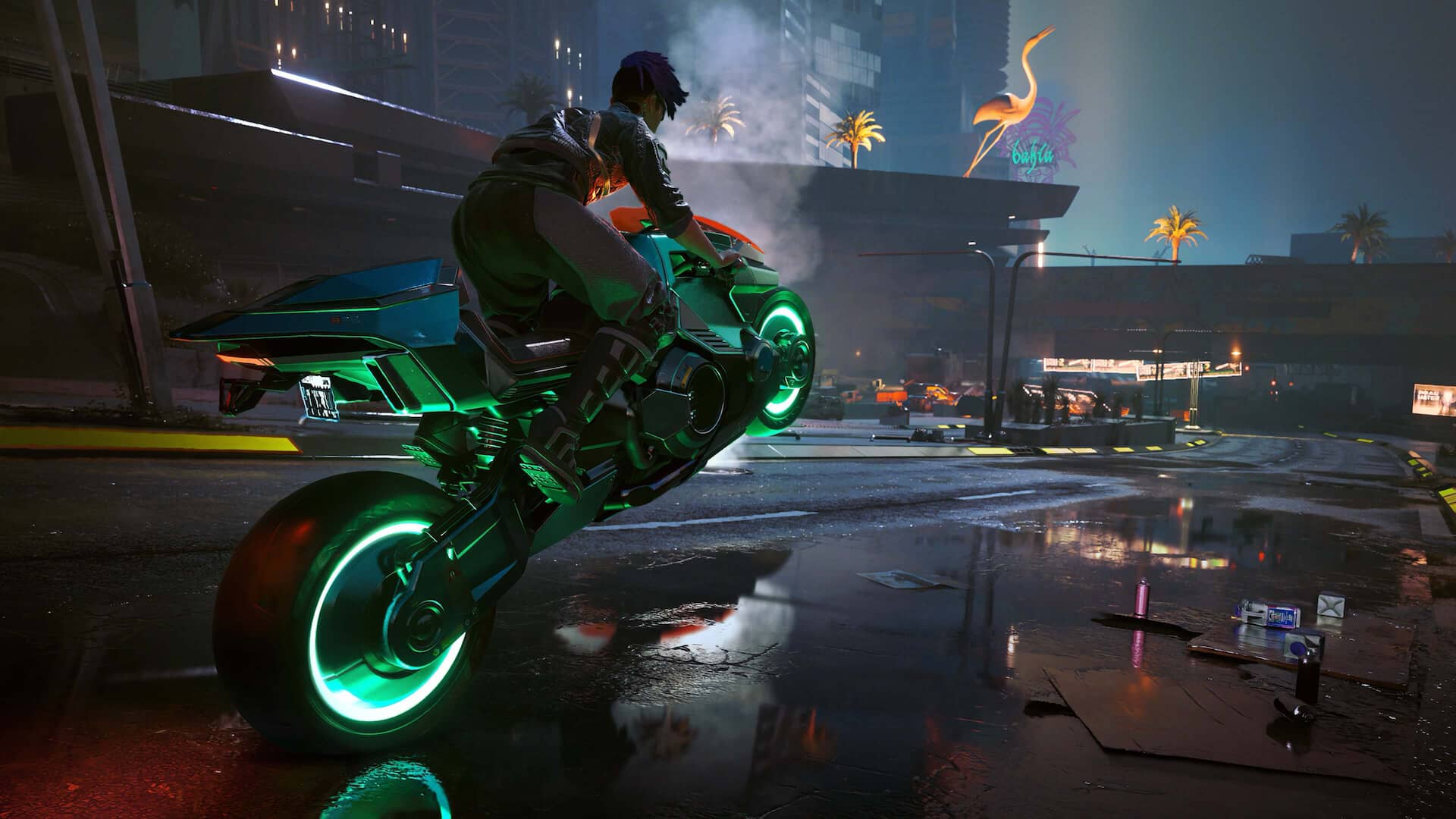
How to optimize your PC for ray tracing
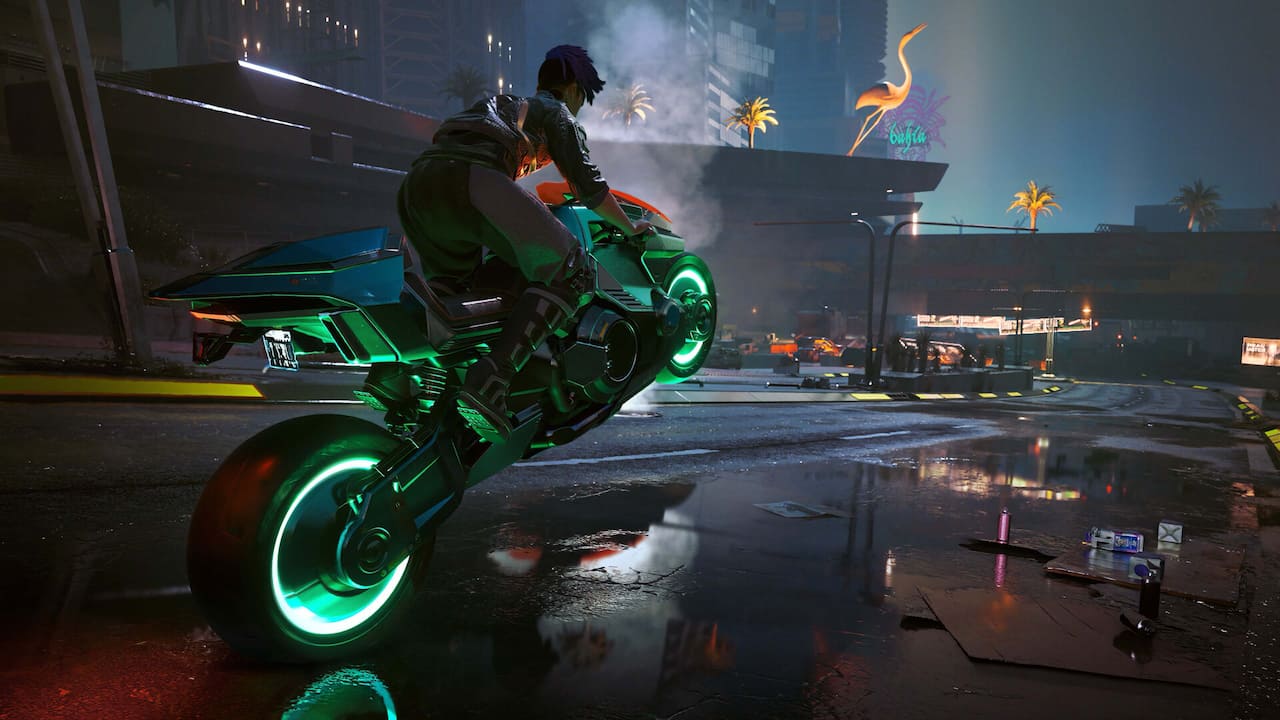
Ray tracing is the marquee graphics technology of the modern PC gaming era. Through an incredible series of mathematical calculations—and thanks to ever-more-powerful GPUs—lighting in games can facilitate next-generation realism.
In this story, we’ll help you understand what ray tracing is, how it works, and how you can optimize your PC hardware and software to get the best ray tracing PC results.
What is ray tracing?
What is ray tracing in games? Ray tracing is a way to render graphics in real-time so that the light in games behaves and looks more like light does in the real-world.
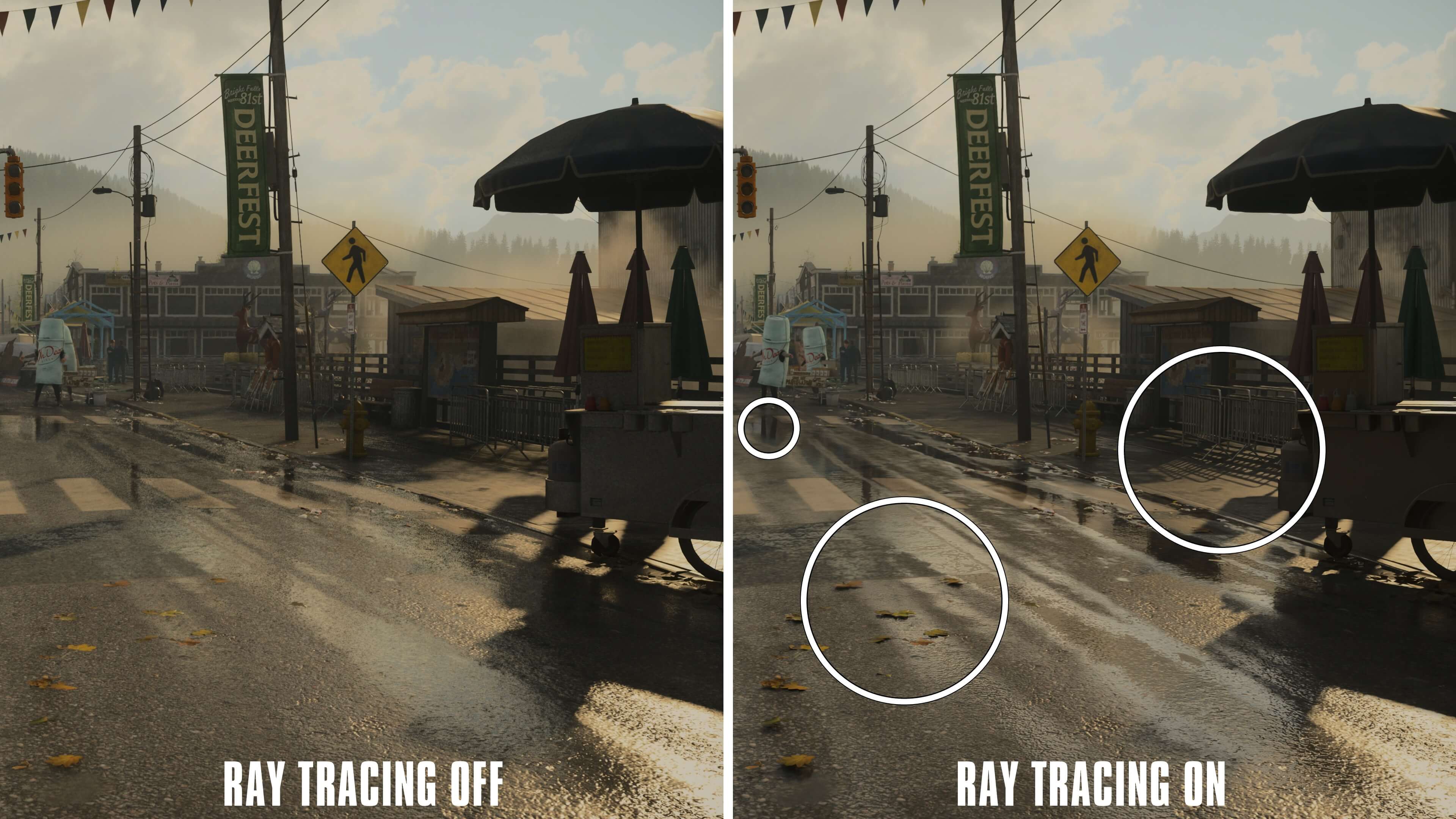
Ray tracing’s name actually describes the underlying technology. Ray tracing really does trace rays, a.k.a. beams of digital light, both from their source and also from the objects that the light bounces off of. It’s not just about how the light from the sun interacts with the pavement, but also how the light on the pavement interacts with objects around it like puddles and storefront windows.
Games often use a technology called rasterization to create light. It’s fast, looks good, and is less processor-intensive than ray tracing—in part because of what it can’t do. Rasterization can light up the shiny hood of a car, for instance, but it can’t simulate the way the car would reflect in a nearby window (among other things). Developers can compensate for this by faking limited reflections, but that implementation is de facto limited.
Ray tracing makes possible what rasterization can only fake. It casts rays from the camera and traces their paths as they bounce off of other objects until it reaches a source of light like the sun or streetlamps. The ensuing lighting effects are way more realistic and impressive.
But this comes at a significant cost. All of those bouncing rays require an immense amount of processing power, as graphics engines like Unreal Engine 5 calculate every pixel at 30, 60, 120 frames per second, or more. You’ll need a modern GPU to enable solid ray tracing effects at acceptable performance levels.
Why optimize your PC for ray tracing?
The cost of ray tracing is performance. As with so many technologies, the more you turn up ray tracing effects, the more your frame rate will slow down. Ray tracing PC optimization is all about tradeoffs, bringing benefits that include the following:
- Increasingly realistic shadows with soft light effects.
- Global illumination to simulate how light from objects in the scene interact with each other.
- Ambient occlusion to block ambient lighting.
- Increased game performance, so that you get the benefits of ray tracing without drawbacks like poor frame rate.
What are the minimum requirements for ray tracing in games?
Since time out of mind, game developers have published PC game requirements, listing the hardware and software necessary to run their games given some combination of resolution, frames per second, and graphics presets. Developers often break these requirements down between minimum, recommended, and ultra setups. You can think of hardware ray tracing requirements as addendums to the traditional minimum specs.
Every game on the Epic Games Store tells you about its hardware and software requirements. You’re a few seconds and a simple internet search away from even more detailed requirements that the developers tend to publish, including minimum ray tracing requirements.
That said, there is one key hardware need: a ray tracing-enabled GPU. AMD’s Radeon RX GPUs and Nvidia’s GeForce RTX GPUs are designed and built around enabling ray tracing.
Best in-game settings to optimize performance
As with all things PC gaming, ray tracing on a gaming PC requires tradeoffs. You'll have to make decisions about what’s important to you. For example, running your game at a lower resolution could allow you to enable higher ray tracing effects, and the inverse is also true.
The question becomes how to optimize a gaming PC for ray tracing, and the answer depends on your hardware and your preferences.
In general, the graphics sections of your games will have a few broad sections, often beginning at Off and increasing from Low to Ultra or Custom.
- Ray tracing tailors the overall quality of the effects.
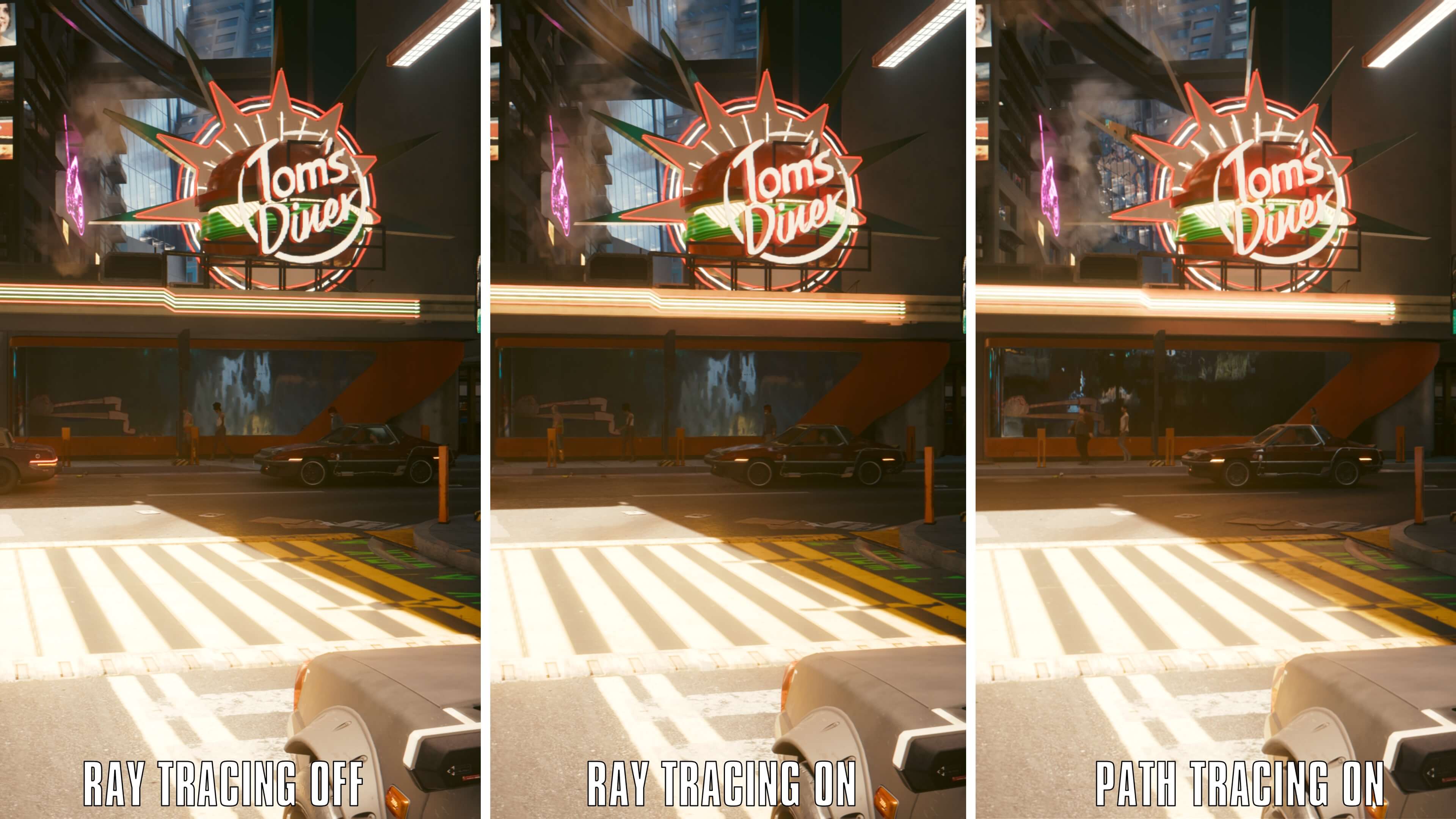
- Path tracing is like supercharged ray tracing and typically adds effects like ambient illumination, reflections, and light that bounces off surfaces onto other surfaces.
- Shadows controls the quality of shadows cast by ray traced objects.
- Global Illumination aims to bring more realistic lighting to the entire screen.
Ray tracing effects quality
In any ray tracing-enabled PC game’s graphics section you’re likely to find settings similar to the ones below. Some games give you granular control over these settings, while others zoom out and only let you toggle a few aspects. Below, we’ll explain some of the most common settings and their impact on your PC’s performance.
- Shadows are exactly what they sound like, and games tend to have a sliding scale for rendering them. They have a moderate impact on performance.
- Global Illumination is one of the most realistic components of ray tracing because it accurately reflects real-world lighting between objects. It looks great, but it’s also performance-intensive.
- Reflections are the showpiece of ray tracing on PC. They have an extreme impact on visuals and an equally extreme impact on performance.
- Screen Space Ambient Occlusion (SSAO) is a rasterization technology that has a low to moderate impact on performance and a significant impact on visuals. It’ll be dimmed out if you enable ray tracing, but if your system struggles with ray tracing, this is a fine fallback option.
The level of detail and the switches available for you to tweak vary from game to game, but the ones above tend to be common. Knowing the impact of the quality settings can help you dial in the best combinations for your ray tracing gaming PC.
Enable DLSS or FSR
Optimizing your ray tracing performance also involves some related technologies: Nvidia’s DLSS (Deep Learning Super Sampling) and AMD’s FSR (FidelityFX Super Resolution). These umbrella terms encompass more than one benefit, and you’ll often find toggles and options for DLSS and FSR in a game’s graphics menu.
Both DLSS and FSR render your game at a lower resolution and then upscale the image to your monitor's resolution without a significant loss in image quality. Rendering at a lower resolution is less taxing on your hardware, and it frees up processing power to do other things like crunching complicated ray tracing math.
The second important part of DLSS and FSR is frame generation. Rather than render every frame, your GPU will interpret what frames will come next and generate frames without fully rendering every pixel. This AI-based technology is actually computationally cheaper than rendering discrete frames.
Using either DLSS or FSR will allow even lower-end PCs to enable ray tracing features while still keeping games running at a good frame rate.
Reduce additional effects
To prioritize ray tracing graphics, you can also reduce other graphics effects settings.
Consider lowering your game’s display resolution as a first option. Some games even allow you to choose a render resolution, which is discrete from your display resolution, and upscale the image. (This is basically a less flexible and lower-tech version of DLSS and FSR, which handle resolution dynamically.)
You can also consider changing the game’s quality preset. You may be able to run the game at high settings without ray tracing, but a fair tradeoff to maintain stability could be to set the game’s quality to medium while enabling ray tracing.
Games also often offer the option to tweak how much detail is displayed in far-off objects. This is a nice-to-have feature that is also first on our list of cuts because, just like in real life, you can reasonably expect to discern less detail in objects farther away from you.
How to enable ray tracing in games
Enabling ray tracing in games on your ray tracing PC is usually as simple as finding the setting and turning it on.
- Open your game’s menu.
- Find a submenu called Graphics or its equivalent.
- Browse the settings and look for a section typically called ray tracing.
- Click the toggle to enable ray tracing.
Tips to maximize performance
Getting the best ray tracing gaming PC performance is an exercise in balance. It’s often worth ticking the boxes for the things that you want most, and then seeing how your ray tracing PC reacts to it. If performance suffers, you can dial back the ray tracing graphics features until your game runs smoothly.
- Lower your resolution. That applies to both your display resolution and your render resolution. Pick the highest number in each that produces the performance you’re looking for.
- Adjust DLSS or FSR settings. In general, setting this to Quality means prioritizing the crispness of the image while the Balanced and Performance settings make tradeoffs between the image quality and the frame rate.
- Adjust ray tracing settings. Consider starting at medium settings and decreasing from there. High and Ultra settings look amazing, but they’re for cutting-edge hardware.
- Adjust your frame rate. If you have a monitor that caps out at 60 fps, for instance, tell your game not to render any more than that.
- Enable Game Mode. Operating systems like Windows have modes specifically designed to increase gaming performance.
- Close non-game applications. Close your browser, mail apps, and everything else that isn’t essential to your game to free up resources.
FAQs
How much RAM is needed for ray tracing?
This differs from game to game, but in general many popular ray tracing games require at least 8 GB of VRAM and 16 GB of system RAM. Those minimum requirements are typically more than the minimum requirements to run the game without ray tracing enabled.
What ray tracing settings should be used for the best performance?
Use DLSS or FSR in combination with ray tracing, so that you can render at lower resolutions and achieve higher frame rates. Prioritizing settings like shadows is a great place to start because even their lowest ray tracing settings offer significant advantages over their rasterization counterparts.
Should I upgrade my GPU or CPU for better ray tracing performance?
The more powerful your GPU is, the more intricate ray tracing it’ll be able to do. Ray tracing is a foundational technology of modern GPUs, and every subsequent generation gets better at crunching the math that goes into creating lifelike lighting and shadow effects.
How does DLSS improve ray tracing performance?
DLSS and FSR both allow your game to render at lower resolutions and upscale to your display resolution without significant visual quality loss. They also allow for frame generation, which increases the effective frames per second of your game while decreasing the processing it takes to generate new frames.
Which ray tracing effect has the biggest performance impact?
Reflections are the most taxing part of ray tracing, followed pretty closely by global illumination and shadows. Dial these up, and you get incredibly lifelike rendering at the cost of performance. Dial these down, and you still get lifelike rendering, but it’s gentler on your system.