
News
Best tips, builds, and upgrades: 12 things to get started in Out of Time
D
Diego Perez
The usual genre staples are all here—and getting gear upgrades feels as good as always—but Out of Time takes things to the next level with stat sharing, evolving gear, random events, and a tether that (literally) ties everything together. It's a lot to take in at first glance, but these beginner tips will help you become a timeline-hopping pro in no time.
How the tether works and why it’s essential
The tether is the most important mechanic in Out of Time. Don't break it.
During a run, you'll see a glowing line that connects you to your other squad mates. As long as you stay close enough to maintain this tether, your group will share stats with each other. Any stat boosts from your gear and upgrades obtained during the run will be evenly shared among the squad.
Getting separated and breaking the tether won't kill you outright, but it's basically a death sentence. If you sever the connection, your health bar, attack power, and other stats will plummet. Stick close to your squad so you can enjoy your support's healing bonuses, your tank's bonus HP, your damage dealer's attack power, and everything in-between.
Build characters with squads in mind
Since you share stats with your group, you should plan your loadout ahead of time to maximize your gear's benefits. Take a moment to talk things through with your squad in the hub before diving into a run.
All stats are shared equally among allies, and everyone gets the full effects. Your attack power won't be split three ways if you're playing as a trio, for example. To make the most of these benefits, make sure every member of your squad specializes in a specific area.

You can bring up a triangular chart showing your squad's gear balance by pressing the K key. Use this as a reference to see any weak spots that need to be filled before starting a run.
Understanding auto attacks and weapon abilities
Out of Time's weapons all use auto attacks, dealing damage as soon as enemies get close enough. If you've played something like Vampire Survivors, then you have the right idea. Some weapons are ranged, while others require you to get up close and personal.
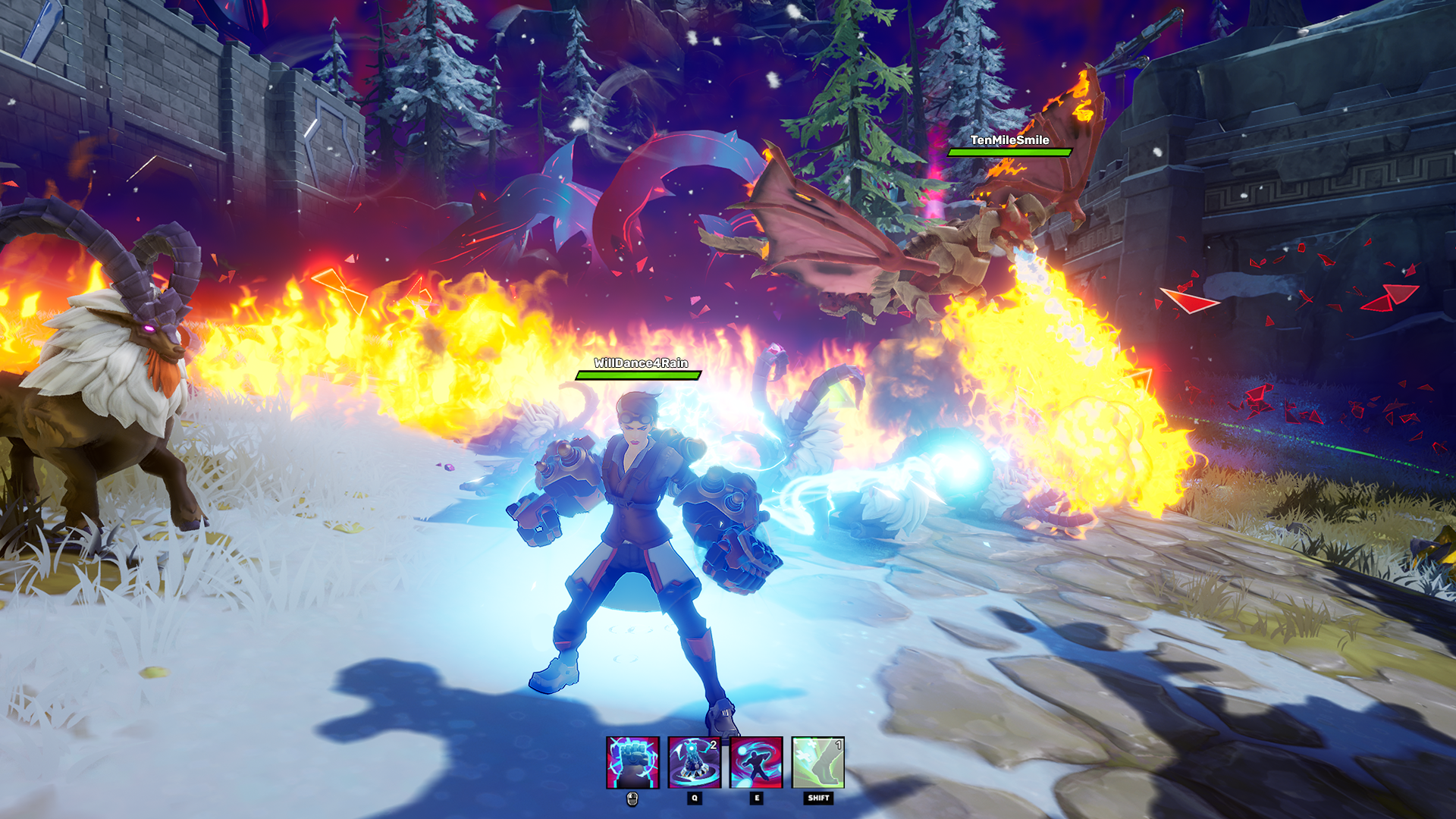
In addition to auto attacks, each weapon comes with multiple cooldown-based abilities that you can activate during combat. Crash's Autosaw, for example, shreds enemies with auto attacks when they get too close. You can also click to launch a spinning blade that your allies can bounce around before pressing Q to detonate it.
Your chest armor and boots also come with unique abilities assigned to the E and Shift keys respectively. Since you can wear any armor while using any weapon, it's a good idea to experiment and find abilities that cover each other's weaknesses.
Check your helmet for passive abilities
While chest and leg armor give you powerful new attacks, helmets grant you passive abilities that can drastically increase your chances of survival.
Some of these passives synergize really well with certain builds, so make sure you check them out when crafting loadouts. Sam's Shades grant additional healing as your HP gets lower, and Roland's Helm grants you an invulnerability shield when your health drops below 20%. These are excellent choices for support builds and aggro-drawing tanks.
Unlocking new skins and outfits
As is the case with many online games, fashion is the true endgame in Out of Time. If you visit the Avatar Editor in the hub area, you can customize your character and equip cool outfits and skins based on the different time periods you can explore.
You can unlock these Avatars by collecting complete gear sets. If you want to get the Nikola robot character, you'll need to find the full Tesla set and upgrade it to orange rarity. You can target-farm for specific gear pieces by selecting the appropriate time period before starting a run. Once you get a piece you need, you can start grinding for the necessary upgrade materials.
Buy these mastery upgrades first
All the upgrades you unlock during a run are only temporary, but you can get permanent power boosts by spending Gold in the Infinitopia. Just head to the Mastery Station and you'll see a long list of enhancements to choose from.
Mastery upgrades provide incremental improvements to major stats like health regeneration or increase the drop rates for specific materials like stone or wood. The first few levels are cheap, but the Gold costs will start to climb pretty quickly.
To kickstart the grind, it's a good idea to upgrade Treasure Hunter early on so you can get more Gold from each run. Then, purchase Mastery upgrades related to any resources you need to upgrade your gear. Metal is a common requirement, so upgrading Forge Master won't hurt.
Upgrade cards and gear progression explained
If you visit the Workshop in Infinitopia, you can spend resources like Metal and Stone to improve your weapons and armor. Upgrading your gear improves more than just its stats, however. If you click the little card button underneath a weapon's icon, you'll be taken to its Upgrade Card page.
Each piece of equipment has different Upgrade Card sets that it can pull from as you level it up, changing once you get that item to level 10, 20, and 30. These are the upgrades that you can get when you level up during a run. Low-rarity upgrades will be removed from the pool entirely as you raise an item's level, guaranteeing you the best of the best on your next run.
Why global buffs are the strongest perks
When you level up or complete an event during a run, keep an eye out for any upgrades that give global buffs. These buff every single ability for every single player, making them some of the strongest upgrades you can get.
Sometimes the global buffs aren't worth taking over the other upgrades you're presented with, but those scenarios are rare. If you see a global upgrade, especially for global crit chance or global cooldown, those should be your top priority.
Farm gear across different time eras
You need to collect all sorts of different gear to unlock new Avatars and fine-tune your build in Out of Time, but you can't get everything in one place.
When you check out the Time Map that lets you select a stage, explore the different eras and see how the map changes. The Riverlands and Dwarven Mountains of the Medieval era will be replaced by Farmlands and a Commercial district in the Modern era, and things can get even crazier as you flip through the pages of time.
Each era and region is home to specific item drops. You can see an area's loot table and drop chances before you queue for matchmaking. There's even a rarity meter that shows you the odds of obtaining green and blue loot instead of just common gray gear. If you're missing one last piece of armor to complete a set, double-check the loot list to make sure you're in the right era.
Leveling and XP management tips
You have to stay on the move to survive in Out of Time, and the enemies will grow in strength alongside you as you level up and progress through a stage. You can see the levels of the enemies compared to your group in the top-left corner of the screen during a run.

Think of this as a timer of sorts. If the meter is green and you see +2 or +3, then you're ahead of schedule and outleveling the enemy forces. If things start to slip into the negatives, you should really get a move on so you can get more XP and prevent the enemies from overpowering you.
Mini-events and side objectives for extra power
As you progress through a stage, you'll occasionally stumble across ominous purple tangles marked with a question mark on the minimap. These are mini-events that reward you with free upgrades upon completion.
If your run is going smoothly and you have time to spare, take a detour and knock out as many of these as you can. The objectives range from defending time capsules to defeating a set number of enemies, which won't take up too much of your time. Everyone in your group will get an upgrade from these, and since everyone shares stats within the tether, that's basically three upgrades for you.
When to backtrack before boss battles
You can challenge the boss at the end of a stage once you've cleared enough of the purple fog from your map. On normal difficulty, for example, you only need to clear 75% of the tangle before starting the boss battle.
Once the boss is summoned, however, enemies stop rewarding you with XP. If you're not quite ready for the encounter ahead, you can backtrack and clear other areas of the map that you missed beforehand to scrounge up some extra XP and resources. Just keep track of the enemies' rising levels to avoid getting overwhelmed before you can even face the boss.
Out of Time is out now on Epic Games Store.