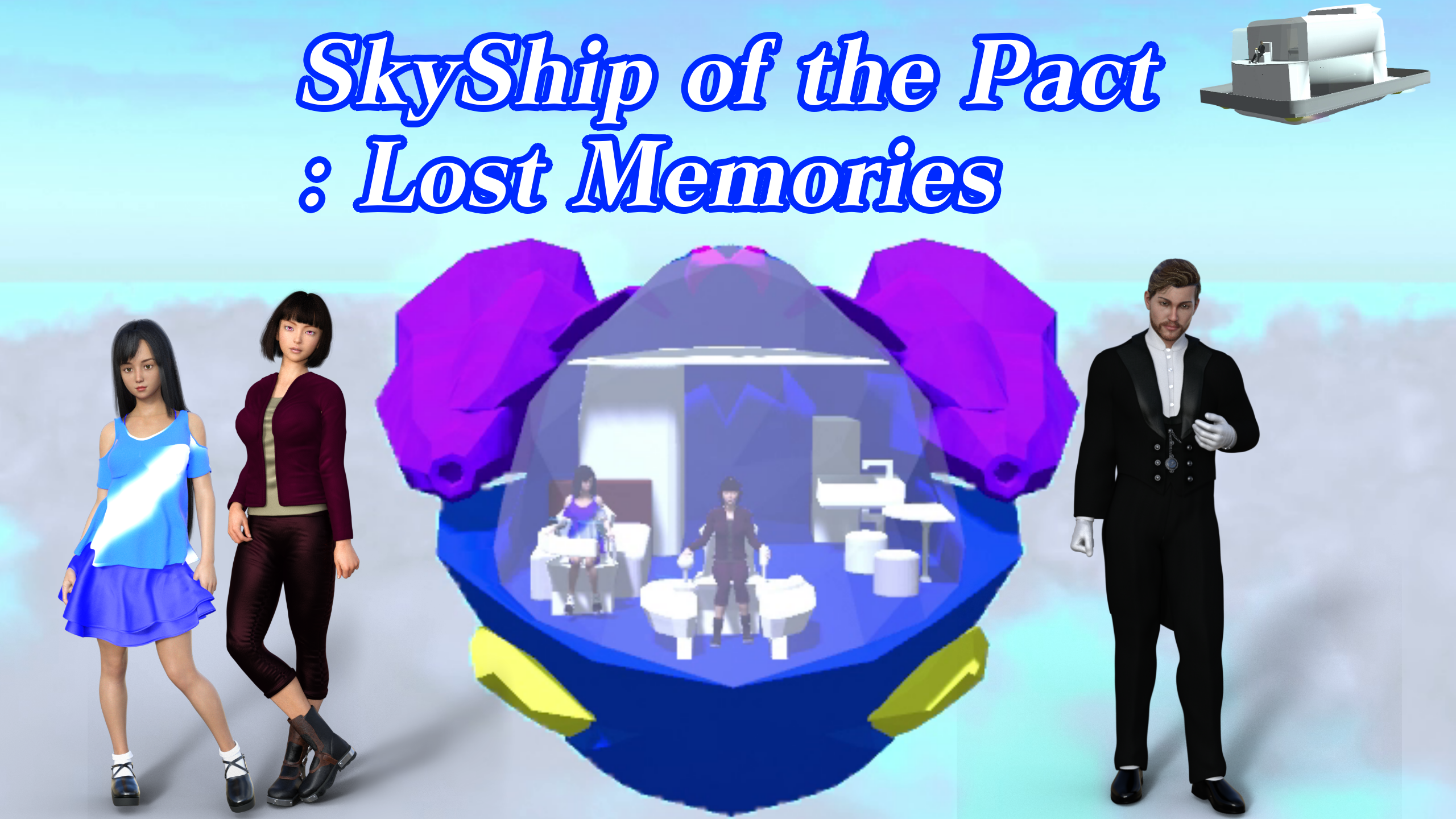
SkyShip of the Pact: Trial Edition
Enter your date of birth to continue
View our privacy policy
SkyShip of the Pact: Trial Edition
Features
Keyboard and mouse operation is not supported.
「 Skyship of the Pact; Lost Memories 」are based on Xinput compatible controller operation. 1 Basic operations in the game can be performed with the Xinput controller. 2 You can also use the mouse and keyboard for auxiliary actions. 3 You can not play the game with just a mouse and keyboard.SkyShip of the Pact: Trial Edition
Experience the beginning of Skyship of the Pact — explore the sky, fly your ship, and embark on an adventure of memories.
In Skyship of the Pact: Trial Edition, you can freely experience three stages — a tutorial, a flight stage, and a character adventure stage — based on the full game. Enjoy your journey through the sky and adventure while checking how well it runs at 60 FPS on your PC.
Playable Stages
1.Tutorial Stage: Learn the fundamentals of gameplay — start by mastering the camera, then move on to character controls, and finally pilot the Skyship for the first time.
2.Flight Stage: Take to the skies and enjoy a short but thrilling flight experience.
3.Character Stage: Control your character, experience interactive events, and discover the beginning of the story.
Controller Input Notice
● Regarding Controller Input
This game, Skyship of the Pact: Lost Memories, is designed around Xinput-compatible controllers.
1.Basic in-game actions are performed using an Xinput controller.
2.A mouse and keyboard can be used for limited auxiliary actions.
3.The game cannot be fully played with only a mouse and keyboard.
●Known Issue
When playing at resolutions higher than 1920×1080, the third line of dialog text may not display correctly.
Please play at 1920×1080 resolution for the best experience.
For more information, please see the ReadMe on the official website. (Opens in new tab)
Note:
You might be wondering, “Why are some parts of the store description still in Japanese?” That’s because some instructions remain in Japanese as the in-game UI has not yet been localized. They are intentionally kept in Japanese so that players can more easily navigate and interact with the in-game UI.
● How to Change the Resolution to 1920×1080(When you play the game for the first time)
1.Press the B button on the title screen to advance to the first stage selection.(not Tutorial)
2.Once the game starts, press the Start button to display the menu.
3.Press LB twice to open the Options menu.
4.Push the Left Stick up twice and press B to select the graphic option.
5.Push the Left Stick up six times to highlight 解像度, then move it left or right to select 1920×1080.
6.Push the Left Stick down six times and press B to confirm 変更を反映.
7.The resolution will now be set to Full HD.
8.Press RB once to open the System tab.
9.Select Return to Title and press B.
10.In the pop-up window, choose Yes.
11.From the title screen, press B to proceed, then select Tutorial and press B to start the game.
● How to Switch Back to 4K Resolution
1.Press the Start button to open the menu.
2.Select Options, then choose the graphic button.
3.Click 詳細解像度(実験) with the mouse.
4.Use the + and – buttons to adjust the resolution to 4K (3840×2160).
5.Click the small 変更確定 button in the top-right corner.
6.Press the 変更せずに戻る button to return.
7.Return to the game and continue playing.
Content Sharing & Streaming Policy
● Streaming and Content Guidelines
When sharing gameplay footage or audio from this game on platforms such as YouTube, Twitch, or Twitter (X), including live streaming, please enable Live Streaming Mode from the title screen menu and follow the Content Guidelines (Opens in new tab).
For details, select the “Post” button on the title screen to view the guidelines.
The same information is also available on the official website.
⚠️ Please avoid posting major story spoilers or recording scenes marked as streaming-restricted areas.
Note on Trial Edition
This Trial Edition allows you to experience the opening chapters of Skyship of the Pact: Lost Memories.
The full version includes additional stages, characters, story events, and hidden features.
Story
The protagonist, Oblivion Cas, captain of a contract Skyship, is a wealthy millionaire — yet cannot remember who he was before acquiring the ship.
One night, a rumor overheard at a local tavern sets him on a mysterious journey that may reveal the truth about his forgotten past.
Game Concept
Tired of dark and depressing stories?
In Skyship of the Pact: Lost Memories, we aimed to create a bright and hopeful world, full of light, sky, and discovery.
Every flight and conversation carries warmth rather than sorrow.
System Overview
1.Seamlessly switch between character and Skyship controls by boarding and disembarking.
2.Progress through events by mastering both on-foot and aerial actions.
3.Multiple endings await depending on your choices — it’s not a full branching system, but your actions can shape certain key outcomes.
Skyship Abilities
Board / disembark
Move freely in all directions (up, down, left, right, forward, back)
Bombardment (“Rainbow Shot”)
Attitude control
Boost acceleration
Barrier
Map display
Gear switching
Adjustable camera angle and distance (keyboard supported)
Power-ups: strengthen your Skyship with collectible enhancement items scattered across the world
Character Abilities
Board / disembark
Summon the Skyship
Dash, jump, and combo jump
Telescope mode
Safe return from high places
Free camera control (angle and distance)
Fixed camera mode with near-unlimited manual operation
Hidden Features (Unlocked Under Certain Conditions)
1.Convenient keyboard-only functions
2.Photo Mode
3.???
4.???????
5.???????
Discover #3–#5 for yourself in the full version!
Ways to Enjoy the Game
1.Besides progressing through the story, try exploring for scenic spots and enjoy the unique atmosphere from fixed camera angles.
2. How about a leisurely sightseeing flight from the cockpit perspective?
You can move the camera freely as much as possible on the contract floating ship.
Find your favorite angle and enjoy flying on the floating ship.
Challenging Endgame Content for Completionists
1.In Skyship of the Pact: Lost Memories, you can enjoy the story over multiple playthroughs even after your first playthrough.
2.By unlocking in-game achievements hidden throughout each stage, you can gain access to secret content. Complete all achievements to experience the game to its fullest!
New Challenge: Live Video Mode
Skyship of the Pact: Lost Memories includes a dedicated mode for creating and streaming live video content via platforms such as YouTube or Twitch.
As long as you follow the terms, you can broadcast your gameplay without prior permission.
However, please note:
● Recording in streaming-restricted areas (both video and audio) is prohibited.
● Spoiler content is not allowed to be published or uploaded.
Before streaming, please read the detailed Video Streaming Guidelines on the official website.
How to Access:
Visit the homepage via the link on this Epic Store page.
Click the link to the Video Streaming page (Opens in new tab) for full details.
Skyship of the Pact: Lost Memories System Requirements
Minimum
Recommended
OS version
Windows10 64bit
OS version
Windows10 64bit
CPU
Core i5-4590 or AMD FX-8310
CPU
Core i5-9300H or Ryzen 5 3550H
Memory
10 GB RAM
Memory
16 GB RAM
GPU
Nvidia Geforce GTX 1650 or AMD Radeon RX 580X
GPU
Nvidia Geforce GTX 1070 or AMD Radeon RX 6800S
DirectX
DirectX 10
DirectX
DirectX 10
Storage
17 GB available space
Storage
20 GB available space
Additional input device
Gamepad
Additional Notes
I did not conduct an actual machine survey, but describe the requirements for estimated values. If you are worried about the computer system requirements , please check if the trial version can maintain 30-40FPS or more before purchasing.SSD recommended
Login Accounts Required
Epic ID
Languages Supported
Audio: N/A
Text: Japanese, English
© 2025 Unprecedented Creations. All Rights Reserved. This game is the intellectual property of Unprecedented Creations. No warranties; developer not liable for damages. The copyrights of the assets used in this game are as follows: © Amplify Impostors © Amplify Creations, Lda. © 2010-2012 Angus Johnson © 2007 Free Software Foundation, Inc. © 2009-2014 Poly2Tri Contributors © 2006 Bob Ippolito © 2001-2007 Peter Selinger © 2009 Wolfgang Nagl © 2012 Dileep.M © 2015 Olivier Spinelli © 2012 Christian Woltering © DOTween & DOTween Pro © 2014-2018 Daniele Giardini - Demigiant © 2016-2021 Kronnect © 2011-2016 The Varela Round Project Authors © 2020 Tanuki Digital © 2011 Khaled Mamou © 2016 Autodesk, Inc. © 2003-2021 University of Illinois at Urbana-Champaign © 2008-2015 Jb Evain © 2008-2011 Novell, Inc. © 2021 Alexandre Mutel © 2012-2021 Yann Collet © 2018 Charlie Poole, Rob Pros © 2016, Unity Technologies © 2019 Unity Technologies All rights reserved.