ComputerKeyboard
Genres
Features
Train Your Fingers, Not Your Eyes – Master Touch Typing with Ease and Save Time Every Day
About This Software
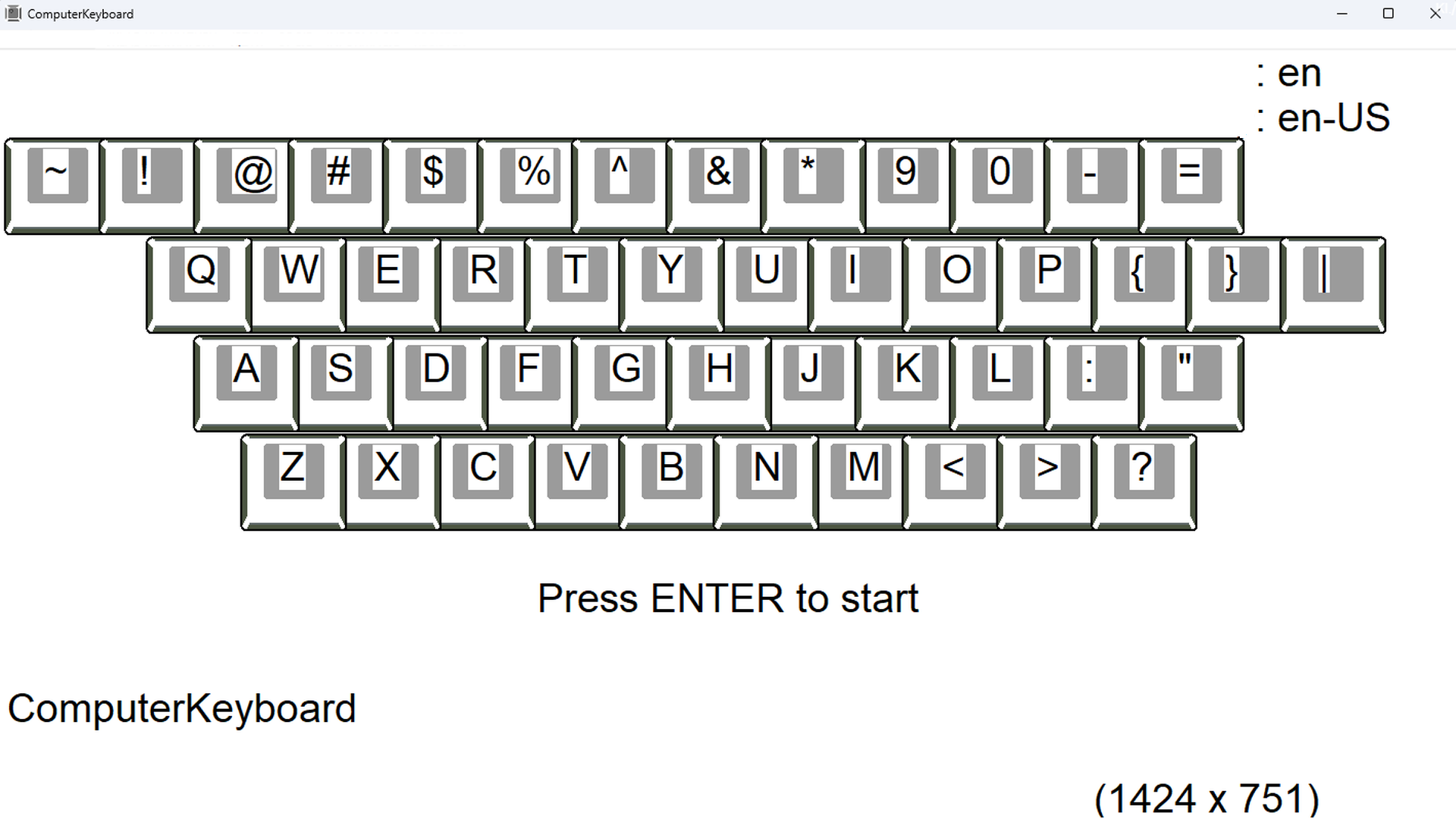
ComputerKeyboard is a lightweight and intuitive program designed to teach touch typing — typing without looking at the keyboard. Instead of typing words or sentences, users focus on the layout of keys displayed on the screen, and their fingers instinctively respond to randomly selected characters. This approach encourages natural hand positioning and builds muscle memory for fast and accurate typing.
You begin with just four basic keys. As you progress, the number of keys increases while the time to respond gets shorter. Incorrect answers reduce the available key range, but you can expand it at any time. The program doesn’t require typing actual text — it’s all about training your fingers to react automatically.
Key Features
• Adaptive learning pace — adjusts to your progress
• Distraction-free — no words, just pure training
• Engages all ten fingers naturally
• Minimalist interface — focused on function, not form
• Customizable interface language and prompts
Supported Keyboard Layouts
Train on over 30 layouts, including: Austrian, English, American, Arabic, Azerbaijani, Belarusian, Bosnian, Bulgarian, Croatian, Montenegrin, Czech, Danish, Estonian, Finnish, French, Greek, Spanish, Kazakh, Lithuanian, Latvian, Moldovan, German, Norwegian, Polish, Portuguese, Romanian, Russian, Serbian, Slovak, Slovenian, Swedish, Thai, Turkish, Ukrainian, Hungarian, and Italian.
Who Is It For?
• Beginners learning to type
• Developers, writers, and anyone aiming for speed
• Schools, training centers, and individual learners
Why It Works
ComputerKeyboard keeps things simple — no typing sentences, no unnecessary distractions. It trains your fingers to respond automatically and efficiently. Lightweight, fast, and available in multiple languages, it’s a focused tool for mastering touch typing.
ComputerKeyboard Editions

ComputerKeyboard System Requirements
Minimum
Recommended
OS version
Windows 10
OS version
Windows 10
CPU
2.0 GHz Dual-Core
CPU
2.0 GHz Dual-Core
Memory
2 GB RAM
Memory
2 GB RAM
GPU
Integrated Graphics
GPU
Integrated Graphics
Languages Supported
Audio: N/A
Text: English, Polish, Arabic, Bulgarian, Catalan, Chinese (Simplified), Chinese (Traditional), Croatian, Czech, Danish, Dutch, Finnish, French, German, Greek, Hebrew, Hindi, Hungarian, Indonesian, Italian, Japanese, Korean, Lithuanian, Malay, Norwegian, Portuguese, Portuguese (Brazil), Romanian, Russian, Serbian, Slovak, Spanish (Latin America), Spanish (Spain), Swedish, Tagalog, Thai, Turkish, Ukrainian, Vietnamese, Welsh
© 2025 ComputerKeyboard. All rights reserved. The software is provided solely under the End User License Agreement (EULA) - https://www.computerkeyboard.it/license. Any unauthorized copying, distribution, or modification of this software is strictly prohibited.
Privacy Policy (Opens in new tab)